
Indeed Job Search
Indeed JobsBusiness
4.7296.43K Reviews
- Version
- 300.0.0
- Installs
- 100.00M
- Age Rating
- Everyone
Screenshots
Our Review of Indeed Job Search
 Analysis by Appyee
When I look for work, I want a way to keep the search moving without letting it take over every spare minute. Indeed Job Search is useful for that: it brings listings, saved roles, applications, and employer information into one place on my phone. It works best as a practical organizer, not as a promise that the right job will appear automatically. The results still need your judgment, and a good application still takes more than a tap.
A routine that keeps the search manageable
I would begin by deciding what I actually want to find: a role, a location or workable commute, and the kinds of positions I would seriously consider. Searching with a few clear terms is more useful than entering a broad phrase and trying to sort through everything afterward. Then I would use the available filters to narrow the results by factors such as salary, job type, and company ratings.
This is where the app suits both an active search and a quieter browse. If I need work soon, I can check current listings and save promising ones for follow-up. If I am employed but open to a change, I can look at roles occasionally without treating every result as an urgent lead. Saved jobs give me a place to return to rather than relying on memory or leaving a trail of browser tabs open.
A realistic routine might be checking new matches during a short break, saving a few plausible options, and reviewing them later when I have time to tailor an application. That pause matters: a role can look attractive in a quick scroll but turn out to have a location, schedule, or responsibility that does not fit. I find it more useful to treat a listing as a lead to assess, not a decision I have already made.
Make alerts useful rather than noisy
Job alerts can reduce the need to repeat the same search, but I would set preferences carefully. If the search is too broad, notifications can become another stream of items to ignore. If it is too narrow, I may miss roles described with different wording. I would start with a focused search, see whether the results reflect the jobs I mean, and adjust the terms or filters when the feed feels off.
There is a trade-off between speed and selectiveness. Alerts are handy when timing matters, but a notification is not a recommendation that a job is a good fit. I would open the listing, check the responsibilities and requirements, and compare them with my priorities before applying. For anyone worried about interruptions, it is sensible to choose notification settings that fit their routine and use the app for deliberate check-ins instead of reacting to every alert.
Where the app fits among job-search options
Compared with searching company career pages one by one, Indeed offers a central place to explore roles from different employers. That is convenient early in a search, when I am still learning what is available and which job titles are used for the work I want. A company’s own careers page can be the better next stop when I want to confirm details or learn how that employer handles applications.
It also differs from relying only on personal contacts or professional networking. A listing search can surface openings beyond my immediate circle, while a conversation with someone in a field can offer context a job post cannot. I would use those approaches together: find possibilities in the app, then do the extra checking and outreach that help me judge whether an opportunity deserves my time.
Indeed Job Search is a free business app from Indeed Jobs, with an Everyone age rating. Its current version is 260.1 and it requires Android 7.0 or later. It has a 4.7 average from around eleven million ratings and over one hundred million installs, which shows that it is widely used; those figures do not tell me whether a particular listing is right for me. I would judge the app by whether its results and workflow suit my own search.
First Impressions
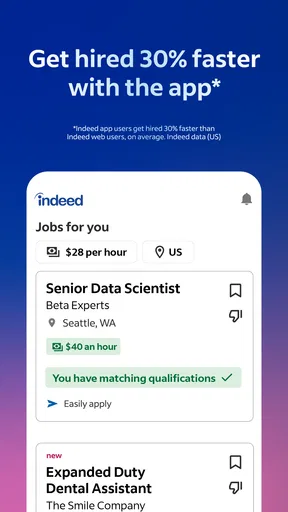
Opening up Indeed Job Search, I was immediately struck by its clean and intuitive interface. No unnecessary clutter here – just a straightforward design that makes it easy to dive right in. The home screen offers a search bar and easy access to your profile and saved jobs, making navigation a breeze.
Searching Made Simple
I started my journey by entering a few keywords and locations. Right off the bat, I was impressed by the plethora of available filters. You can sort by salary, job type, and even company ratings. It’s like a buffet of opportunities with all the fixings. I found the real-time updates particularly nifty; new listings pop up as soon as they’re posted, keeping you ahead of the game.
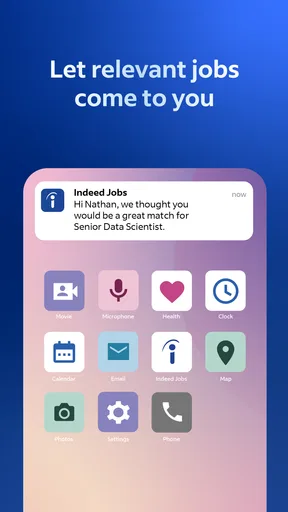
And let’s talk about the job alerts! Once you set your preferences, the app sends push notifications directly to your phone. It’s like having a friend who’s constantly on the lookout for you, making sure you don’t miss out on any golden opportunities.
Application Process
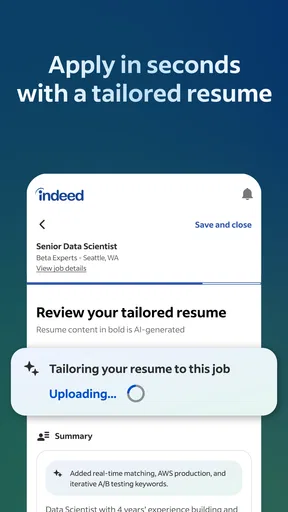
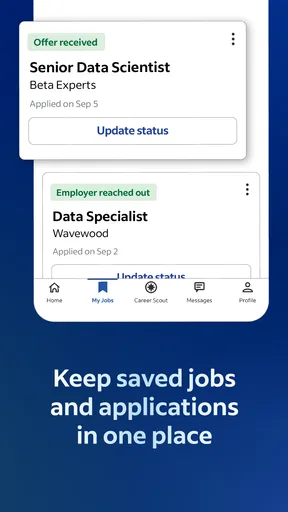
Applying for jobs through the app is a smooth ride. With the "Easy Apply" feature, you can submit your resume and cover letter with just a couple of taps. No more fiddling with endless forms on different websites. Plus, you can track your applications, which is a lifesaver for keeping tabs on where you stand with multiple employers.
Even with a short application path, I would keep a careful record of the details I sent and the role they were for. A quick submission is convenient, but it does not replace tailoring a resume or checking that the application reflects the particular job. When several applications are in progress, a simple note with the employer, role, and next action can make follow-up less confusing than relying on memory alone.
I would also reserve time to read each listing all the way through before applying. A fast-apply option is most helpful when the employer’s questions and requirements are a good match for the information I have ready. If an application needs a more specific portfolio, detailed answers, or a different version of my resume, slowing down and completing it carefully is the better choice.
Community and Insights
Another cool feature is the community reviews and company insights. It’s like getting the inside scoop from current and past employees. This section helped me gauge company culture and salary expectations, which is crucial when considering your next career move.
I treat those reviews as clues rather than a verdict. A comment reflects someone’s experience, and views can differ across teams, managers, locations, and time. I would look for recurring themes and use them to prepare questions for an interview, while checking the job description and other reliable information before making a decision. That approach keeps employee commentary helpful without asking it to answer questions it cannot settle on its own.
Settings and small habits that pay off
The most useful setup is the one that reflects my real boundaries. Before leaning on filters or alerts, I would decide which requirements are firm and which are preferences. Location and job type may be non-negotiable for one person, while another may be willing to widen the search for a role with the right schedule. Keeping that distinction clear helps prevent a tidy-looking filter set from excluding jobs I would actually consider.
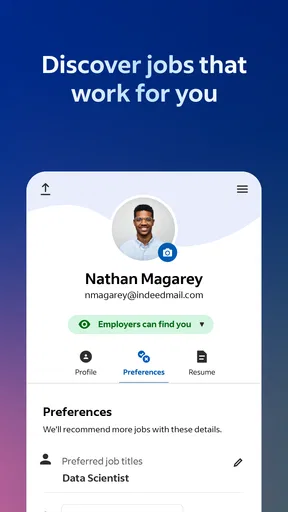
I would also check that my profile and application materials are ready before a promising listing appears. A saved job is more valuable when I can return to it and act, rather than discovering that my resume needs attention at the moment I am in a hurry. For a person changing careers, it helps to prepare a version of the resume that explains transferable experience, then review it against each role instead of sending the same document without thought.
One practical habit is to separate discovery from decision-making. During a quick browse, I can save roles that merit a closer look; later, I can compare their duties, requirements, and location in a calmer setting. This avoids the common trap of applying simply because a listing appeared first or sounded appealing in its opening lines. It also makes the search easier to pause and resume around work, family, or study.
When a different approach is better
This app is a strong starting point if I want a broad view of job openings and a mobile way to organize the search. It may be less suitable as my only method when I am pursuing a specialized field where professional communities, recruiters, or direct employer contacts are especially important. In those cases, a general listing search can still help me learn the language employers use, but targeted sources may offer a closer fit.
It is also not ideal for someone who expects every opening to be current, complete, or perfectly described. Listings are written by employers, and the effort needed to verify details remains with the applicant. Before sharing personal information or spending time on a long application, I would check the employer and role carefully and be wary of requests that seem unrelated to a normal hiring process. Convenience should not replace common sense.
For people who prefer to do substantial writing or compare several applications side by side, a laptop may be more comfortable than a phone. The app’s connection with the desktop experience makes it reasonable to move between devices, but a larger screen can still make careful editing easier. I would use mobile for finding and saving leads, then switch to a computer when an application deserves more attention.
How the search holds up in everyday use
The app is developed by Indeed Jobs and belongs to the business category, but what matters to me is the way it brings the search into an everyday routine. Its combination of job discovery, alerts, saved listings, applications, and company information can reduce the amount of scattered admin involved. It cannot decide which workplace is right for me, and I would not treat its reach as a substitute for research or judgment.
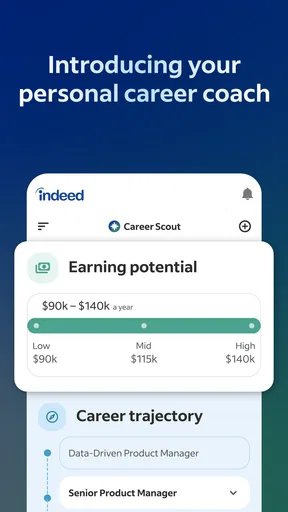
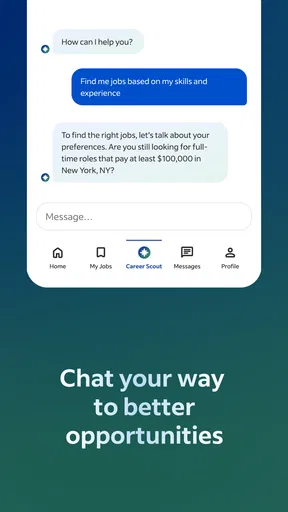
Who should skip it? Someone who already has a focused route through referrals or a specialist hiring channel may not need another general search tool, particularly if maintaining multiple feeds becomes distracting. I would also avoid relying on it alone if I need detailed career advice or help negotiating an offer; finding a listing and making a career decision are different tasks. For many other job seekers, though, it is a useful place to begin and a practical companion for keeping leads organized.
Community and Insights
Another cool feature is the community reviews and company insights. It’s like getting the inside scoop from current and past employees. This section helped me gauge company culture and salary expectations, which is crucial when considering your next career move.
All About Connectivity
One thing I absolutely loved was the integration between the app and the desktop version. Everything syncs seamlessly, so you can start a search on your phone and finish applying on your laptop without missing a beat. It's perfect for those of us who are always on the go.
My verdict after using it as a working tool
For an everyday example, imagine I am weighing a move while still working. I can search for roles near the places I can realistically reach, save a few that fit, and use an alert to catch new possibilities without repeatedly rebuilding the search. At the end of the day, I can review the saved listings, compare their requirements, and decide which ones merit a tailored application. That is a sensible rhythm: the app helps me keep opportunities visible, while I stay responsible for choosing and following through.
My main advice is to make the search specific enough to be useful, but not so tight that it shuts out reasonable alternatives. Keep a brief record of applications, treat alerts as prompts rather than instructions, and use employer information as a starting point for further questions. Those small habits make the app more valuable than simply scrolling through whatever appears on the screen.
In conclusion, Indeed Job Search might just be the companion you need on your job-seeking journey. It’s user-friendly, packed with features, and keeps you connected. Whether you’re actively looking for a new position or just keeping an eye on the market, this app makes the process feel a whole lot less daunting. Give it a try, and who knows? Your next career adventure could be just a tap away!
Privacy and Permissions
See what permissions an app requests and how it handles your data.
- Location
- approximate location (network-based), precise location (GPS and network-based)
- Phone
- directly call phone numbers
- Photos/Media/Files
- read the contents of your USB storage, modify or delete the contents of your USB storage
- Storage
- read the contents of your USB storage, modify or delete the contents of your USB storage
- Camera
- take pictures and videos
- Microphone
- record audio
- Wi-Fi connection information
- view Wi-Fi connections
- Other
- view network connections, full network access, change your audio settings, run at startup, reorder running apps, control vibration, prevent device from sleeping, read Google service configuration
Verdict
Strengths of Indeed Job Search
- Intuitive user interface, easy to navigate.
- Wide variety of job listings available.
- Customizable job alerts for specific roles.
- Resume upload feature simplifies applications.
- In-app messaging with potential employers.
Limitations of Indeed Job Search
- Occasional duplicate job postings.
- Some listings may lack detailed info.
- Limited filtering options for search.
- In-app ads can be distracting.
- Notification settings are not highly customizable.
Similar Picks in This Category
View All
LinkedIn: Community & Network
LinkedIn3.8

Zoom Workplace
zoom.com4.1

Microsoft Teams
Microsoft Corporation4.6

Meta Business Suite
Meta Platforms, Inc.4.6

Webex Meetings
Cisco Systems, Inc.4.5

TeamViewer Remote Control
TeamViewer4.4
You May Also Like
View All


Frequently Asked Questions
What features does the Indeed Job Search app offer?
Indeed Job Search offers a variety of features to streamline your job search process. Users can search for jobs using specific keywords, locations, and salary information. The app allows you to save jobs, set up job alerts, and apply directly through your device. Additionally, it provides company reviews and salary insights to help you make informed decisions.
How can I optimize my job search experience on Indeed?
To optimize your job search on Indeed, start by creating a detailed profile with your updated resume. Use specific keywords related to your skills and desired positions. Set up job alerts to receive notifications for new opportunities. Engage with company reviews and salary information to better understand potential employers and negotiate offers.
Is the Indeed Job Search app free to use?
Yes, the Indeed Job Search app is free to download and use. It provides access to millions of job listings without any charge. However, there might be some premium features or services that require payment, such as resume writing assistance or exclusive insights, but the basic job search and application functionalities remain free.
Can I apply for jobs directly through the Indeed app?
Absolutely! The Indeed app allows you to apply for jobs directly from your mobile device. After finding a suitable position, you can submit your application using your Indeed profile or uploaded resume. Many job listings also offer the "Easy Apply" feature, streamlining the application process to just a few taps.
How secure is my personal information on Indeed?
Indeed takes privacy and security seriously. The app uses industry-standard encryption to protect your personal information. You can manage your privacy settings within the app, controlling who sees your profile and resume. It's important to regularly update your password and be cautious of sharing sensitive information to ensure your data remains safe.
